With the many different brands and models on the market, buying a laptop or notebook computer may at first seem confusing...
With the many different brands and models on the market, buying a laptop or notebook computer may at first seem confusing. But simply breaking down the process into a few key areas and using Myshopping.com.au to search for the most suitable features and pricing makes it much easier to access exactly the machine you're looking for.
How important to you is mobility?
Mobility in laptop computers is a combination of size, weight and battery life: how often you carry it around, and if you will be relying mainly on the notebook's battery, or whether you will access an external power source. Laptops can weigh from a little over 1 kg up to 6kg, depending on the model and features included. The screen, storage space and disc drive all affect the weight.
Battery life is shortened by bigger screens and multiple disc drives. Manufacturers advertise the weight of the laptop in their specifications, but it is important to consider whether that specification includes batteries and other peripherals such as external drives that you may be lugging around. The most common battery type is Lithium Ion (Li-Ion), which can operate for one to three hours under normal working conditions. But many power saving options available and higher celled batteries can extend the discharge time considerably. Battery life deteriorates over time however, and as your laptop ages; the discharge rate of the battery will diminish. Sometimes it is worthwhile carrying an additional battery.
Application and cost
If mobility is of a lesser concern, then battery life and weight will be less important. You may be more inclined to have a bigger processor, screen size and memory capacity. The type of work you do can affect the screen size and type that is most suitable for you. For a lighter load, and less graphics intensive applications a 12-14in screen instead of 15 or 17in widescreen will be more suitable. If, on the other hand, the graphics capabilities and size of the screen are important then the best screen you can afford will be more of a priority. It may work out cheaper to buy a basic unit and add such things as an external TV card and DVD burner when the need arises.
How much you need to spend is closely related to how you use your laptop. If you only want to access your e-mail, browse the Web and do word processing, then you can consider lower budget machines with smaller processors, screens and facilities.
A medium-level user, perhaps playing games or working in multimedia applications, will need a powerful processor, graphics controller, storage space, and a bigger screen. The more features your laptop has, the more expensive it will be. Including a DVD-burner instead of DVD-ROM, hard drive capacity of more than 40GB, a 17in widescreen screen and wireless capabilities results in a more expensive machine.
If you are not looking for high power and graphics capabilities, then you may find a suitable laptop for around $1500. The latest processor, full blown graphics capability, DVD burner, widescreen and wireless connectivity may cost over $4000. Use Myshopping.com.au to search with different price ranges.
Other key components
Having determined by what you will do with it, and how mobile you need to be that you are definitely buying a laptop, you now need to get down to the nitty gritty and find the specifications that will meet your needs. So, what to look for? Essentially, you are considering differences between the following components: display, graphics controller, memory (RAM), hard disk, removable storage, networking options, peripheral connectivity, sound and battery.
Display and Graphics
Notebooks now all feature LCD screens (Liquid Crystal Displays) presenting crisp text and reduced eyestrain. These screens display sharper text than standard CRT monitors, but are less capable of displaying well-rendered graphics. If you will be using your notebook for graphics work, it may be worthwhile having a CRT monitor to connect to. Screen sizes for notebooks range from 12.1in to 17in (widescreen). A 15in display or 15.4in widescreen alternative is the most common in notebooks today. Widescreen is quickly becoming more common, partly to accommodate playback of DVDs and also because widescreen proportions make it is more durable.
On-screen graphics are affected by both the size and type of screen as well as the graphics card. It is reasonably safe to assume that larger displays offer higher on-screen resolution. Screen brightness (measured in nits) is another specification that can vary between makes and models. Brighter screens impact less on eyes and can be more easily read in bright conditions. Some manufacturers have a glossy, reflective coating over the display improving contrast and colours. But, because it increases the reflectivity of the screen, it can show you reflected in the screen. Surface scratches may also show up more readily. Not all LCD screens have the same viewable angle, with some screens not easily viewed from a side angle.
Graphics performance in laptops is still inferior to that of desktop machines. All graphic controllers easily render 2-D images and if you don't need more from your graphics, then an integrated graphics controller is ample. However, if you want to play the latest 3-D games at a decent resolution and frame rate or you're a CAD designer, then you'll need a discreet graphics controller with a dedicated DDR video memory.
Memory and Storage
In all computers RAM chips keep the CPU efficiently fed with data or instructions from programs on the hard drive. Notebook computers now commonly use DDR SDRAM (Double Date Rate SDRAM), the default standard, and DDR2 SDRAM which is a next-generation memory type offering considerable performance and power benefits over SDRAM. Either way, when it comes to RAM, more memory is better and you should consider 256MB as the absolute minimum. Upgrading memory can achieve better performance, and quite a number of vendors offer higher RAM configurations as a 'deal sweetener' at the time of purchase. Search through Myshopping.com.au for bundled extras such as more RAM.
The hard drive provides the long-term storage and is the centre of program control. There are two critical specifications of hard disks. One is disk speed, measured in revolutions per minute (rpm). Faster disks speeds provide quicker access for loading and saving and 'file swapping'. The other is storage capacity, and drives are now available for notebook computers with 120GB capacity. If you work with large file sizes, then you will probably want at least 40GB of hard drive space. You may also want to consider the type of removable storage such as a DVD writer, removable hard disks and media or 'flash' card systems that will suit your use best.
Networking and connectivity
Laptop computers now include 56Kbps modem (RJ-11) and 10/100 Ethernet (RJ-45) connections as standard features. Some feature an Infrared port and you can use it to connect your mobile phone. Other wireless technology for connecting mobile phones, printers and PDA devices includes Bluetooth and Wi-Fi, allowing connection at certified public access points and home wireless networking. Most laptops use USB 2.0 or FireWire connection for connecting keyboard, mouse, printers, cameras and other peripherals. Nearly every new notebook will have around three USB 2.0 ports, and one FireWire port and a VGA-out port to connect an external monitor to.
Notebook computers have traditionally been able to expand their capability through simple plug-in PC Cards. Recently a new standard has emerged called ExpressCard, a smaller, faster and more portable plug-in card to provide such things as expanded video and sound capacity.
Choosing a laptop becomes much easier once you've decided on these basic requirements. You can search Myshopping.com.au to compare makes, models, prices, accessories and all the important specifications. You can also compare vendors and their prices and service.
Tampilkan postingan dengan label Laptop. Tampilkan semua postingan
Tampilkan postingan dengan label Laptop. Tampilkan semua postingan
Jumat, 05 Agustus 2011

Selasa, 02 Agustus 2011
Getting the Best Deal on Used Laptops
When purchasing a used laptop it should both serve functionally and at the same time save money. Doing a little amount of research by comparing and weighing various options from different kinds of sources will help in achieving the aim to buy used laptops at the best possible price.
Laptops have become a necessity these days. Used laptops are seen as a viable option to own a laptop at a very affordable price. These are the laptops that have been used by a person for sometime and sold for some reasons. Even if the laptop is used for a single day, it is called as a used laptop.
The reasons for purchasing used laptops are many. The main reason is that, it is available at a cheaper rate than the retail price of any new laptop. The availability of used laptops has increased owing to the recycling legislation that makes discarding of old PCs very expensive. Also used monitors are used for photo editing as the CRT monitors provides ultimate color purity than the LCD monitors for editing colors.
When purchasing a used laptop it should both serve functionally and at the same time save money. Doing a little amount of research by comparing and weighing various options from different kinds of sources will help in achieving the aim to buy used laptops at the best possible price. The price of the used laptop should coincide with the features. Internet serves as a good source for searching used laptops.
The working condition of the used laptop is of utmost importance. Normally it is not recommended to buy a laptop, which is more than three years old, for the reasons that either the system would have become outdated, or the user may not be able to run the latest applications and soft wares on it.
The features on the used laptops are the next important thing to be taken into consideration. The speed of the used laptop needs to be checked as used laptops run at a lower speed than the normal desktops with the same processor. Used laptop with less than 128 MB memory is not at all recommended for buying. The screen size, resolution and definition are other important factors in a laptop. Portability of used laptops is also taken into consideration. Laptops these days are getting slimmer and lighter. The weight of the backpack and, accessories should be kept in mind along with the weight of the used laptop to see if it is comfortable to carry. It is wise to purchase an extra battery while buying used laptops as the battery life of any laptop can be only for two years time.
While buying used laptops, checking should be done if it has a wireless connectivity, if not at least should have an external wireless card, since connectivity to the internet and intranet is very common these days. Select the one with a longer range and greater speed.
Check for a USB ports as older laptops may not have them. The more the USB ports the more convenient it is. Also the hard drive of the used laptop needs to be more than 20 GB. The higher hard drive space of the used laptop purchased depends on the budget of the buyer. These days, songs and movies are stored in the laptops requiring larger hard disk space. The most important thing is to buy a used laptop from a reputed dealer so that the purchaser can get a warranty on it.
Laptops have become a necessity these days. Used laptops are seen as a viable option to own a laptop at a very affordable price. These are the laptops that have been used by a person for sometime and sold for some reasons. Even if the laptop is used for a single day, it is called as a used laptop.
The reasons for purchasing used laptops are many. The main reason is that, it is available at a cheaper rate than the retail price of any new laptop. The availability of used laptops has increased owing to the recycling legislation that makes discarding of old PCs very expensive. Also used monitors are used for photo editing as the CRT monitors provides ultimate color purity than the LCD monitors for editing colors.
When purchasing a used laptop it should both serve functionally and at the same time save money. Doing a little amount of research by comparing and weighing various options from different kinds of sources will help in achieving the aim to buy used laptops at the best possible price. The price of the used laptop should coincide with the features. Internet serves as a good source for searching used laptops.
The working condition of the used laptop is of utmost importance. Normally it is not recommended to buy a laptop, which is more than three years old, for the reasons that either the system would have become outdated, or the user may not be able to run the latest applications and soft wares on it.
The features on the used laptops are the next important thing to be taken into consideration. The speed of the used laptop needs to be checked as used laptops run at a lower speed than the normal desktops with the same processor. Used laptop with less than 128 MB memory is not at all recommended for buying. The screen size, resolution and definition are other important factors in a laptop. Portability of used laptops is also taken into consideration. Laptops these days are getting slimmer and lighter. The weight of the backpack and, accessories should be kept in mind along with the weight of the used laptop to see if it is comfortable to carry. It is wise to purchase an extra battery while buying used laptops as the battery life of any laptop can be only for two years time.
While buying used laptops, checking should be done if it has a wireless connectivity, if not at least should have an external wireless card, since connectivity to the internet and intranet is very common these days. Select the one with a longer range and greater speed.
Check for a USB ports as older laptops may not have them. The more the USB ports the more convenient it is. Also the hard drive of the used laptop needs to be more than 20 GB. The higher hard drive space of the used laptop purchased depends on the budget of the buyer. These days, songs and movies are stored in the laptops requiring larger hard disk space. The most important thing is to buy a used laptop from a reputed dealer so that the purchaser can get a warranty on it.
Selasa, 26 Juli 2011
Fully Loaded Laptops
Buying a laptop is a commitment! Once you buy it, you can’t decide to change or upgrade any part of the system, as doing so is impractical in terms of cost and time. So plan before buying a laptop, and make sure it’s a fully loaded model that is up to date.
One of the important features of a laptop is its memory. While most laptops come with a 128 MB memory, it’s wise to invest in more memory such as a system memory (RAM) of 256 MB or even better, 512 MB, for the easier ru...
Buying a laptop is a commitment! Once you buy it, you can’t decide to change or upgrade any part of the system, as doing so is impractical in terms of cost and time. So plan before buying a laptop, and make sure it’s a fully loaded model that is up to date.
One of the important features of a laptop is its memory. While most laptops come with a 128 MB memory, it’s wise to invest in more memory such as a system memory (RAM) of 256 MB or even better, 512 MB, for the easier running of programs under Windows ME, Windows XP, and others. After all, the more memory the merrier!
Another main feature of a laptop is its port. A port is a slot through which external material such as microphones and cameras are connected. Laptops come with a serial port, infrared, parallel, and a Universal Serial Bus (USB) ports. Most external equipment correspond with different ports, which is why there are several types of ports in a laptop. However, it is best to opt for at least two USBs, as this is fast becoming the most popular of ports.
CD-ROM drives are not a standard feature of laptops, but it is best to have one installed, as most software comes in CDs these days. Even better would be to install a DVD-ROM drive, which can be used to read CD-ROMs too. A DVD-RW drive is capable of writing and rewriting CDs and DVDs. Also, when on a lengthy trip, having a DVD drive means you can check out your favourite DVD!
Laptops come with internal modems or external PC card-based modems for ready Internet access. The majority of new laptops even come with modules for wireless networking, like Apple’s laptops which are Wi-Fi compatible.
Input devices in a laptop range from the Touchpad to the Pointing Stick. A Touchpad is located beneath the spacebar on the laptop keyboard. It is touch sensitive; use your fingers on the Touchpad to move the cursor across the screen. The Pointing Stick is a rubber nub set in the laptop keyboard, and can be used to navigate the cursor by applying pressure with your index finger, similar to using a joystick. You can also plug in a standard mouse should you feel the need to do so.
There are a staggering number of laptop brands in the market today, so choosing that perfect laptop suited to your needs is no problem at all!
The Toshiba Portege R100 is a laptop specially designed for the mobile professional. With a striking appearance, bright screen, and integrated webcam, the Sony TR3A Vaio Ultraportable Laptop is the perfect travel partner. The Sony Vaio X505 is super thin, and uses carbon-fiber for its chassis, making it shock-free and robust. The Panasonic Toughbook Y2 Ultraportable incorporates a number of computer features in a portable and durable design, and pays special attention to battery life. For an excellent Multimedia feature set and attractive design, the Dell Inspiron 700M Notebook fits the bill.
Take your pick!
One of the important features of a laptop is its memory. While most laptops come with a 128 MB memory, it’s wise to invest in more memory such as a system memory (RAM) of 256 MB or even better, 512 MB, for the easier ru...
Buying a laptop is a commitment! Once you buy it, you can’t decide to change or upgrade any part of the system, as doing so is impractical in terms of cost and time. So plan before buying a laptop, and make sure it’s a fully loaded model that is up to date.
One of the important features of a laptop is its memory. While most laptops come with a 128 MB memory, it’s wise to invest in more memory such as a system memory (RAM) of 256 MB or even better, 512 MB, for the easier running of programs under Windows ME, Windows XP, and others. After all, the more memory the merrier!
Another main feature of a laptop is its port. A port is a slot through which external material such as microphones and cameras are connected. Laptops come with a serial port, infrared, parallel, and a Universal Serial Bus (USB) ports. Most external equipment correspond with different ports, which is why there are several types of ports in a laptop. However, it is best to opt for at least two USBs, as this is fast becoming the most popular of ports.
CD-ROM drives are not a standard feature of laptops, but it is best to have one installed, as most software comes in CDs these days. Even better would be to install a DVD-ROM drive, which can be used to read CD-ROMs too. A DVD-RW drive is capable of writing and rewriting CDs and DVDs. Also, when on a lengthy trip, having a DVD drive means you can check out your favourite DVD!
Laptops come with internal modems or external PC card-based modems for ready Internet access. The majority of new laptops even come with modules for wireless networking, like Apple’s laptops which are Wi-Fi compatible.
Input devices in a laptop range from the Touchpad to the Pointing Stick. A Touchpad is located beneath the spacebar on the laptop keyboard. It is touch sensitive; use your fingers on the Touchpad to move the cursor across the screen. The Pointing Stick is a rubber nub set in the laptop keyboard, and can be used to navigate the cursor by applying pressure with your index finger, similar to using a joystick. You can also plug in a standard mouse should you feel the need to do so.
There are a staggering number of laptop brands in the market today, so choosing that perfect laptop suited to your needs is no problem at all!
The Toshiba Portege R100 is a laptop specially designed for the mobile professional. With a striking appearance, bright screen, and integrated webcam, the Sony TR3A Vaio Ultraportable Laptop is the perfect travel partner. The Sony Vaio X505 is super thin, and uses carbon-fiber for its chassis, making it shock-free and robust. The Panasonic Toughbook Y2 Ultraportable incorporates a number of computer features in a portable and durable design, and pays special attention to battery life. For an excellent Multimedia feature set and attractive design, the Dell Inspiron 700M Notebook fits the bill.
Take your pick!
Selasa, 05 Juli 2011
Did I Choose The Best Laptop Computer
key ways to choosing your first or latest laptop computer
Did I choose the best laptop ?
Keys to choosing the best laptop computer :
Who is the laptop user? When choosing a laptop computer, it is important to understand who will be using it.., school student, college student, professional businessman ,office worker, etc.
Where will the laptop be used? For heavy mobile users such as college students and professionals, size, weight and battery life are very important. So when looking over the reviews and relevant specs, keep those factors in mind. The average high school student uses a laptop from room to room in their house, and have loads of access to AC power most of the time. So for these users, the factors listed above may not be as critical.
How will the laptop be used? The more mobile the user, the more durability is needed. Heavy users ie sales reps spend a great deal of time start and shutting down their laptops every day. an average heavy user will open and shut their laptop computer 5 times a day. Although that may not seem alot of wear and tear, there is also the issue of general handling. Heavy users will be traveling from location to location, in and out of cars,on and off planes etc on a constant basis. This increases the likelihood of damage to the laptop computer, via dropping, bumping and banging, drink spills on the keyboard, etc....
Should I buy a service contract for my laptop? the answer is YES. When you think about carrying around a fragile piece of electronics costing $1000 or more, the price of a typical service contract is a bargain. for a relatively small price $100 per laptop computer, its worth it to for you peace of mind.
.How much should I expect to pay for a laptop? It used to be hard to find a quality laptop under $600; however, this is no longer true. There are several companies with great offers, starting around £300. The options / upgrades you select have a large impact in what you can expect to pay. Having a list of what you want in a laptop, such as memory, speed, hard drive size, burners, etc..will help when you go shopping. Although online laptop computer manufacturers allow a great deal of customization, the general public are easily serviced with a “off the shelf” standard laptop computer.
What Laptop Brand Should I Select? the worlds your oyster in this respect with the amount of laptop computer manufactures out there,with different colours and sizes its everyones personal choice , I myself find that acer have all the features which service my needs.
Laptop computer www.discount-notebooks.net
Did I choose the best laptop ?
Keys to choosing the best laptop computer :
Who is the laptop user? When choosing a laptop computer, it is important to understand who will be using it.., school student, college student, professional businessman ,office worker, etc.
Where will the laptop be used? For heavy mobile users such as college students and professionals, size, weight and battery life are very important. So when looking over the reviews and relevant specs, keep those factors in mind. The average high school student uses a laptop from room to room in their house, and have loads of access to AC power most of the time. So for these users, the factors listed above may not be as critical.
How will the laptop be used? The more mobile the user, the more durability is needed. Heavy users ie sales reps spend a great deal of time start and shutting down their laptops every day. an average heavy user will open and shut their laptop computer 5 times a day. Although that may not seem alot of wear and tear, there is also the issue of general handling. Heavy users will be traveling from location to location, in and out of cars,on and off planes etc on a constant basis. This increases the likelihood of damage to the laptop computer, via dropping, bumping and banging, drink spills on the keyboard, etc....
Should I buy a service contract for my laptop? the answer is YES. When you think about carrying around a fragile piece of electronics costing $1000 or more, the price of a typical service contract is a bargain. for a relatively small price $100 per laptop computer, its worth it to for you peace of mind.
.How much should I expect to pay for a laptop? It used to be hard to find a quality laptop under $600; however, this is no longer true. There are several companies with great offers, starting around £300. The options / upgrades you select have a large impact in what you can expect to pay. Having a list of what you want in a laptop, such as memory, speed, hard drive size, burners, etc..will help when you go shopping. Although online laptop computer manufacturers allow a great deal of customization, the general public are easily serviced with a “off the shelf” standard laptop computer.
What Laptop Brand Should I Select? the worlds your oyster in this respect with the amount of laptop computer manufactures out there,with different colours and sizes its everyones personal choice , I myself find that acer have all the features which service my needs.
Laptop computer www.discount-notebooks.net
Kamis, 16 Juni 2011
Cheap Laptops: How to Buy the Right One
Cheap and inexpensive laptops are available plenty in number in the market. While buying laptops, price factor alone should not limit the purchase. Find out how you can buy the right cheap laptop for you.
Cheap and inexpensive laptops are available plenty in number in the market. While buying laptops, price factor alone should not limit the purchase. Cheap laptops are made available to the consumer to suit the budget as well as specific requirements. The person buying a laptop should be very clear regarding the required features, options and then conduct a search to match his needs. The place of purchasing cheap laptops is also important. There are various sources from which a person can buy cheap laptops. Out of all the sources, Internet is considered to be the best place to purchase laptops. A same laptop model can be sold at different prices in different websites. The purchaser can easily select the one with a lesser price easily. Also it is better to avoid impulse purchase as far as laptops are concerned, since it is impossible for a lay man to comprehend the hi-tech lingo associated with laptop computers like the flat panel TFT, WiFi connectivity, wireless and many more features.
Features to be considered before buying cheap laptops:
Processor of the laptop: A processor is very important to run applications and to perform on-screen tasks. The processor should not be less than 1.4 GHz as it may affect the quick performance of the laptop. For day today operation using word processing, e-mail, spread sheets etc the above processor speed is enough. When Pentium processors are bought they assure a longer battery life and at the same time they are quick.
Screen size of the cheap laptops should not be less than 12.1 inches. The screen size of laptops is measured diagonally. The larger the screen size, the higher the resolution, making it easy for viewing more information all at once.
Laptops should have a good battery life as they are carried with the operator for presentations, or for calculations whenever and wherever they are required. A laptop with a good battery life should be able to perform jobs ranging from 3 to 7 hours of non stop work without any electrical charge required in between. Lithium ion rechargeable batteries are an ideal choice.
The hard drive capacity is very important to store large amount of data on to the laptops. A cheap laptop can be chosen with a hard drive capacity ranging from 20 GB to 40 GB depending on the person’s usage.
The keyboards of laptops are different from those of the desktop computers. The keys on the keypad are relatively smaller and are packed closely with each other. Hence, it is very important to see if it can be handled comfortably before purchasing a cheap laptop.
Touchpad or pointing stick inbuilt with a laptop can be more very useful than a mouse connected via USB port. Two USB ports are more than enough for a cheap laptop; in case more ports are required the user can use an external USB hub.
The ideal weight of the laptops should be between 4 – 10 pounds, never go for a more weighing laptop even if it comes for a very cheap amount. In order to reduce the weight of the laptops, external CD drives can be used. For communications a built in Ethernet port is more ideal than the serial ports or infrared ports.
Cheap and inexpensive laptops are available plenty in number in the market. While buying laptops, price factor alone should not limit the purchase. Cheap laptops are made available to the consumer to suit the budget as well as specific requirements. The person buying a laptop should be very clear regarding the required features, options and then conduct a search to match his needs. The place of purchasing cheap laptops is also important. There are various sources from which a person can buy cheap laptops. Out of all the sources, Internet is considered to be the best place to purchase laptops. A same laptop model can be sold at different prices in different websites. The purchaser can easily select the one with a lesser price easily. Also it is better to avoid impulse purchase as far as laptops are concerned, since it is impossible for a lay man to comprehend the hi-tech lingo associated with laptop computers like the flat panel TFT, WiFi connectivity, wireless and many more features.
Features to be considered before buying cheap laptops:
Processor of the laptop: A processor is very important to run applications and to perform on-screen tasks. The processor should not be less than 1.4 GHz as it may affect the quick performance of the laptop. For day today operation using word processing, e-mail, spread sheets etc the above processor speed is enough. When Pentium processors are bought they assure a longer battery life and at the same time they are quick.
Screen size of the cheap laptops should not be less than 12.1 inches. The screen size of laptops is measured diagonally. The larger the screen size, the higher the resolution, making it easy for viewing more information all at once.
Laptops should have a good battery life as they are carried with the operator for presentations, or for calculations whenever and wherever they are required. A laptop with a good battery life should be able to perform jobs ranging from 3 to 7 hours of non stop work without any electrical charge required in between. Lithium ion rechargeable batteries are an ideal choice.
The hard drive capacity is very important to store large amount of data on to the laptops. A cheap laptop can be chosen with a hard drive capacity ranging from 20 GB to 40 GB depending on the person’s usage.
The keyboards of laptops are different from those of the desktop computers. The keys on the keypad are relatively smaller and are packed closely with each other. Hence, it is very important to see if it can be handled comfortably before purchasing a cheap laptop.
Touchpad or pointing stick inbuilt with a laptop can be more very useful than a mouse connected via USB port. Two USB ports are more than enough for a cheap laptop; in case more ports are required the user can use an external USB hub.
The ideal weight of the laptops should be between 4 – 10 pounds, never go for a more weighing laptop even if it comes for a very cheap amount. In order to reduce the weight of the laptops, external CD drives can be used. For communications a built in Ethernet port is more ideal than the serial ports or infrared ports.
Minggu, 05 Juni 2011
Buying a Refurbished Laptop Computer
This article discusses tips for buying a refurbished laptop computer.
When considering buying a used or even a new laptop, the first thing you need to do is to determine your computing needs.
* word processing
* e-mail
* browsing web pages
* moving the laptop from home to work (weight)
* gaming
* on-line shopping
* a database application
* personal finance
* is battery power important
Check out the Minimum Systems Requirements needed to do all of the your applications. They will not come with the laptop, as refurbished laptops often only include the Operating System (OS). If they don't include an installed OS, then be prepared to install it yourself. This is not for those that don't know what they are doing, so research what is involved before buying one without an OS.
Once you understand what you really need, you need to determine your budget.
Most old laptops do not have working batteries. If you need a battery, shop around to figure out how much they cost. You should know that on older laptops, batteries don't last more than an hour or two, so purchasing a new battery for the purpose of longer battery life may not be worth the expense. And by all means, stick with a name brand… IBM, Dell, Toshiba, Compaq-HP.
If you are new to computers and you want to browse the World Wide Web, you will need to obtain the services of an ISP (Internet Service Provider). There are basically two types of Internet access options: broadband (cable modem, DSL, satellite) and lowband (dial-up). Broadband is the preferred type since download speeds can range from 128kbs to 6000kbs. The faster the better, of course. But, if your budget is tight, dial-up works just fine for typical browsing and e-mail usage.
Your choice of ISP's will be dependent upon two things: budget and location. If the budget allows and you don't mind paying upwards of $35-50+ per month, you can purchase a broadband connection. However, even if money were no object, your physical location will determine what types of services are available to you. Broadband is not available everywhere (with the exception of satellite). If you have a telephone line, you can always choose dial-up. AOL's bread and butter is dial-up users. Do your research to determine what is available in your area and compare costs.
And for you gamers out there, you definitely need a reliable broadband connection. Gaming over a lowband connection can be a frustrating experience and sometimes even impossible. You will need to check out the minimum systems requirement for the games you are interested in using to make sure the CPU speed and the RAM and graphic chip requirements will support the games you wish to play.
Once you have figured out your budget and your needs and the requirements of your laptop it is time to search for the laptop of your desires.
Some people choose to search at www.ebay.com. If you do be sure to check out the seller to be sure you will have a smooth transaction.
Many people don't want the hassle of bidding, so use your favorite search engine: Google or Yahoo or MSN for the terms "used laptops" or "refurbished laptop".
An important thing to keep in mind is how will the vendor treat you should there be a problem. If you don't like their attitude or they don't pick up the phone shop elsewhere. Price is important, but if you have a problem and spent the least amount of money possible the vendor may not have any resources available to help you after you have purchased and spent your money.
If all the above seems like too much of a hassle, then buy a new computer. It will cost around $700 + but will come with a new battery and a one year warranty, although some new ones seem to have only 90 day warranties. It will also have the latest Windows XP system and an 800 number to call the vendor, should their be a problem. I'd call the 800# first before buying to get an idea what kind of support they will provide.
When considering buying a used or even a new laptop, the first thing you need to do is to determine your computing needs.
* word processing
* browsing web pages
* moving the laptop from home to work (weight)
* gaming
* on-line shopping
* a database application
* personal finance
* is battery power important
Check out the Minimum Systems Requirements needed to do all of the your applications. They will not come with the laptop, as refurbished laptops often only include the Operating System (OS). If they don't include an installed OS, then be prepared to install it yourself. This is not for those that don't know what they are doing, so research what is involved before buying one without an OS.
Once you understand what you really need, you need to determine your budget.
Most old laptops do not have working batteries. If you need a battery, shop around to figure out how much they cost. You should know that on older laptops, batteries don't last more than an hour or two, so purchasing a new battery for the purpose of longer battery life may not be worth the expense. And by all means, stick with a name brand… IBM, Dell, Toshiba, Compaq-HP.
If you are new to computers and you want to browse the World Wide Web, you will need to obtain the services of an ISP (Internet Service Provider). There are basically two types of Internet access options: broadband (cable modem, DSL, satellite) and lowband (dial-up). Broadband is the preferred type since download speeds can range from 128kbs to 6000kbs. The faster the better, of course. But, if your budget is tight, dial-up works just fine for typical browsing and e-mail usage.
Your choice of ISP's will be dependent upon two things: budget and location. If the budget allows and you don't mind paying upwards of $35-50+ per month, you can purchase a broadband connection. However, even if money were no object, your physical location will determine what types of services are available to you. Broadband is not available everywhere (with the exception of satellite). If you have a telephone line, you can always choose dial-up. AOL's bread and butter is dial-up users. Do your research to determine what is available in your area and compare costs.
And for you gamers out there, you definitely need a reliable broadband connection. Gaming over a lowband connection can be a frustrating experience and sometimes even impossible. You will need to check out the minimum systems requirement for the games you are interested in using to make sure the CPU speed and the RAM and graphic chip requirements will support the games you wish to play.
Once you have figured out your budget and your needs and the requirements of your laptop it is time to search for the laptop of your desires.
Some people choose to search at www.ebay.com. If you do be sure to check out the seller to be sure you will have a smooth transaction.
Many people don't want the hassle of bidding, so use your favorite search engine: Google or Yahoo or MSN for the terms "used laptops" or "refurbished laptop".
An important thing to keep in mind is how will the vendor treat you should there be a problem. If you don't like their attitude or they don't pick up the phone shop elsewhere. Price is important, but if you have a problem and spent the least amount of money possible the vendor may not have any resources available to help you after you have purchased and spent your money.
If all the above seems like too much of a hassle, then buy a new computer. It will cost around $700 + but will come with a new battery and a one year warranty, although some new ones seem to have only 90 day warranties. It will also have the latest Windows XP system and an 800 number to call the vendor, should their be a problem. I'd call the 800# first before buying to get an idea what kind of support they will provide.
Senin, 30 Mei 2011
Best Buy for Laptop: How to Buy a Laptop Computer
Need a new laptop? Making a decision on which one to buy is not easy. Here is how to choose.
There is a wide range of laptop models available on the market today and buying the right machine can turn into a confusing mission.
There are laptop computers intended for home users, multimedia, business and gaming. You can spend from $500 to $5,000.
The very first step you need to do is to determine your needs.
If you spend a lot of time traveling, your best option is a light laptop with a long battery life.
If you are an average home user, you can easily select a low-range laptop that will cost you about $500.
If you use the Internet a lot or store photographs and videos, you choice should be a mid-range laptop that will cost you from $1,000 to $1,500.
But if plan to purchase a gaming laptop, be ready to pay at least $3,000.
Look at the following categories:
- Processor is the most important thing to take into consideration. Intel Pentium M, Mobile AMD Athlon 64 and AMD Turion 64 Mobile are high-powered processors. Intel's Celeron M and AMD's Duron and Sempron are processors found in low-end laptops.
Avoid desktop processors in laptops because they need a lot of power and will quickly exhaust your battery.
- Screen sizes range from 12 to 19 inches. A laptop computer with smaller screen is great option if you do not plan to use laptop too much. A larger screen is perfect for extensive use.
- Your new laptop should have at least 1 gigabyte of memory. Also, your machine should come with a dedicated video card with 128 megabytes of memory.
- Choose a faster hard drive with at least 60GB of space. This is sufficient for the majority of users. Gamers should get at least 100 GB hard drive.
There is a wide range of laptop models available on the market today and buying the right machine can turn into a confusing mission.
There are laptop computers intended for home users, multimedia, business and gaming. You can spend from $500 to $5,000.
The very first step you need to do is to determine your needs.
If you spend a lot of time traveling, your best option is a light laptop with a long battery life.
If you are an average home user, you can easily select a low-range laptop that will cost you about $500.
If you use the Internet a lot or store photographs and videos, you choice should be a mid-range laptop that will cost you from $1,000 to $1,500.
But if plan to purchase a gaming laptop, be ready to pay at least $3,000.
Look at the following categories:
- Processor is the most important thing to take into consideration. Intel Pentium M, Mobile AMD Athlon 64 and AMD Turion 64 Mobile are high-powered processors. Intel's Celeron M and AMD's Duron and Sempron are processors found in low-end laptops.
Avoid desktop processors in laptops because they need a lot of power and will quickly exhaust your battery.
- Screen sizes range from 12 to 19 inches. A laptop computer with smaller screen is great option if you do not plan to use laptop too much. A larger screen is perfect for extensive use.
- Your new laptop should have at least 1 gigabyte of memory. Also, your machine should come with a dedicated video card with 128 megabytes of memory.
- Choose a faster hard drive with at least 60GB of space. This is sufficient for the majority of users. Gamers should get at least 100 GB hard drive.
Senin, 16 Mei 2011
Advantages of Buying Refurbished Laptops
Refurbished laptops are the best to choose if you are looking to buy affordable and cheap laptops. This article discusses various aspects of refurbished laptops and helps you choose the right one for you.
Laptops can be sent back to the manufacturer if the purchaser finds the screen of the laptop scratched or with a minor blemish, or if it is an unwanted present to him or if the packaging of the laptop is dented etc. Such laptops are inspected, tested again for quality and repackaged by the manufacturer and sold for a very less price. Such laptops are called as refurbished laptops.
<b>Factory refurbished laptops: </b>
The laptops in the factory undergo rechecking for any manufacturing defect by passing through various stages of examination. Then, when no fault is found, the hard disk of the laptop is reformatted and again the operating system is loaded. It is again made to work for less than 4-5 hours time to check for any defect and the parts are replaced if they are found to be defective. The refurbished laptop is then updated with a new serial number to mark it as a factory refurbished laptop. Such factory refurbished laptops are of high quality available to the consumer at a lesser retail price. Such refurbished laptops can be got from almost all the renowned brands. However the process carried out for the restoration of laptops may differ from company to company. The main aim is to make the laptop run again efficiently as it used to be previously.
<b>Custom refurbished laptops: </b>
These are repaired laptops which are reassembled to match the customer’s preference. It gives an opportunity to get a complete laptop solution at a very affordable price to the customer. The utilities offered by the customer refurbished laptops are got at a cost of a used laptop. It also avoids the necessity to upgrade immediately, which is not the case with the standard laptop. It allows the customers to have preferences in terms of selecting the features like the screen size, processor speed requirements, multimedia, memory capacity, hard drive size, optical drive, graphics, accessories, Bluetooth etc.
When purchased in bulk, custom refurbished laptops are the best option as it combines both functionality and price advantage together. Additional benefits can be availed through promotional offers and discounts from the manufacturers.
<b>Advantages of purchasing refurbished laptops: </b>
The refurbished laptops are of high quality as they are checked for high standards of performance at each level of examination done. The consumer can get a branded, quality laptop of a latest model at a very less price compared to the retail price. More over discounts are offered to military personnel, senior citizens and students who can maximize their savings by purchasing a refurbished laptop. The refurbished laptops can be selected from renowned brands available in the market at a lesser cost. Such refurbished laptops are also got with 1 year warranty which can be extended up to 3 years. The warranty period supports replacement of parts and maintenance required by the laptop. Hence purchasing such laptops are very reliable. The refurbished model laptops enable the customers get more features at a lower cost. When the purchaser is bent on buying the latest, trendiest laptop, but cannot afford to buy a new one he can go for a refurbished laptop to get satisfied.
Laptops can be sent back to the manufacturer if the purchaser finds the screen of the laptop scratched or with a minor blemish, or if it is an unwanted present to him or if the packaging of the laptop is dented etc. Such laptops are inspected, tested again for quality and repackaged by the manufacturer and sold for a very less price. Such laptops are called as refurbished laptops.
<b>Factory refurbished laptops: </b>
The laptops in the factory undergo rechecking for any manufacturing defect by passing through various stages of examination. Then, when no fault is found, the hard disk of the laptop is reformatted and again the operating system is loaded. It is again made to work for less than 4-5 hours time to check for any defect and the parts are replaced if they are found to be defective. The refurbished laptop is then updated with a new serial number to mark it as a factory refurbished laptop. Such factory refurbished laptops are of high quality available to the consumer at a lesser retail price. Such refurbished laptops can be got from almost all the renowned brands. However the process carried out for the restoration of laptops may differ from company to company. The main aim is to make the laptop run again efficiently as it used to be previously.
<b>Custom refurbished laptops: </b>
These are repaired laptops which are reassembled to match the customer’s preference. It gives an opportunity to get a complete laptop solution at a very affordable price to the customer. The utilities offered by the customer refurbished laptops are got at a cost of a used laptop. It also avoids the necessity to upgrade immediately, which is not the case with the standard laptop. It allows the customers to have preferences in terms of selecting the features like the screen size, processor speed requirements, multimedia, memory capacity, hard drive size, optical drive, graphics, accessories, Bluetooth etc.
When purchased in bulk, custom refurbished laptops are the best option as it combines both functionality and price advantage together. Additional benefits can be availed through promotional offers and discounts from the manufacturers.
<b>Advantages of purchasing refurbished laptops: </b>
The refurbished laptops are of high quality as they are checked for high standards of performance at each level of examination done. The consumer can get a branded, quality laptop of a latest model at a very less price compared to the retail price. More over discounts are offered to military personnel, senior citizens and students who can maximize their savings by purchasing a refurbished laptop. The refurbished laptops can be selected from renowned brands available in the market at a lesser cost. Such refurbished laptops are also got with 1 year warranty which can be extended up to 3 years. The warranty period supports replacement of parts and maintenance required by the laptop. Hence purchasing such laptops are very reliable. The refurbished model laptops enable the customers get more features at a lower cost. When the purchaser is bent on buying the latest, trendiest laptop, but cannot afford to buy a new one he can go for a refurbished laptop to get satisfied.
Minggu, 15 Mei 2011
Acer Aspire 3004WLCi - A Quick Review
If you just need a basic system for work or school related tasks the Acer Aspire 3004WLCi is a solid performer that can handle average use with ease. I would definitely recommend this unit to college students or traveling professionals who need an inexpensive, user-friendly laptop, but who do not plan on using their laptop on batteries very often, or who do not intend on playing many games or movies. For the price conscious consumers out there, this system is definitely worth the money.
I recently found myself in need of a new laptop. With a tight budget and moderate needs, I knew it wasn't going to be easy to find a product that would do what I wanted and still be in my price range.
As a Network Technician and a Web Designer, I needed a machine that would have enough storage to store all my software, projects for my clients, and still be able to handle an occasional temporary operating system backup from a client's machine. The qualifying candidate also had to have a decent amount of RAM and a reasonably fast processor to keep up with the demands of multitasking and using Studio MX '04 on a daily basis.
At first, I checked the auction sites, the refurbished outlets, and the wholesale warehouses. I found a few good deals for under $500, but nothing that would handle the processing load that Studio MX 2004 would place on it. The average machine had 256MB of PC133 RAM, a 20GB HDD, and a 1.0GHz Pentium processor. Not too shabby for a student machine, but for daily service in the fields I work in, not nearly enough space or power to keep up with my demands.
I quickly realized that a new laptop would be needed in order to meet my needs. Realizing that most decent laptops are priced at over $1,000, I wasn't expecting a whole lot when I started shopping around. However, to my surprise, a local retail chain had a special running on the Acer Aspire 3004WLCi for $600 after a $150 rebate. This was the top end of my budget, but the specs were far more than what I thought I would find in this price range.
<strong>Quick Specs:</strong>
AMD Mobile Sempron 3100+ (1.8GHz) w/ 256K L2 cache
512MB DDR333 SODIM RAM (expandable to 2GB)
60GB 4200rpm Hard Disk Drive
15.4 Wide Screen WXGA Monitor
CD-RW/DVD-ROM Combo Drive
3 USB 2.0 Ports (1 front / 2 side)
Front Audio / Microphone jacks
Integrated Microphone / Speakers
Integrated Audio Controller
Integrated Video Controller (up to 128MB shared)
Integrated 56Kbps Data/Fax Modem
Integrated 802.3 10/100 Ethernet NIC
Integrated 802.11b/g WiFi
Maximum screen resolution: 1280 x 800
External monitor maximum resolution: 2048 x 1536
One type II PCMCIA Slot
AC Power Adapter / 4-cell lithium-ion battery
1.5"Hx14.3"Wx11"D / 6.2lb. w/ Battery
Microsoft Windows XP Home SP2
OK, before I go into the Pros and Cons of this system, let me first say this... As a Network technician, I'm a bit of a stranger to Acer products. I've seen them before, but I've never used them. In an industry dominated by Dells and HPs, Acer seemed more of an "off-brand" to me. With that in mind, I wasn't expecting a whole lot for my money. Fortunately, I was not disappointed, but neither was I entirely wrong.
Also, it is worthy to note that before I used this machine, XP Home was trashed in favor of XP Professional SP2 and I went through the system and performed several minor software performance tweaks on the operating system; all of which can be performed using the native Windows XP Pro utilities.
<strong>Pros:</strong>
The Acer Aspire 3004 WLCi is a reasonably powerful system for $600. Even at the original $750, this system is hard to beat in the performance department. The Sempron 3100+ processor is surprisingly fast and capable. It handled running Dreamweaver MX 2004, Fireworks MX 2004, Microsoft Word 2003, Microsoft OneNote 2003, Firefox 1.5, Internet Explorer 6.0, Opera 8.5, Resize Browser, CPick, Java JRE, NOD32 Anti-Virus, Hotmail Popper, and several system services and minor utilities running in the background simultaneously and didn't complain or produce any unacceptable sustained CPU usage spikes. This is partly due to the generous and fast 512MB of DDR333 RAM, but even so, the processor surprised this long-time AMD user.
The 60GB hard drive provides an ample amount of storage for average users. It is on the lower end of my requirements, but sufficiently large enough to handle all my installed software, over 12GB of service software needed for service calls, all my client projects, and it still has enough space left over to easily accommodate a 20GB client system backup.
In addition, this system has a very good Broadcom WiFi controller. In my 3 story townhouse, which has excellent insulation, this system can be used anywhere in my home with a signal strength of "Very Good" to "Excellent".
The system is ergonomically laid out. I have rather large hands, and most modern laptops are entirely too small for me to realistically use for any extended period of time. Usually, within 20 or 30 minutes, my wrists and hands begin to ache from trying to maintain a very unnatural position in order to type the documents I'm working on. Not so with the Aspire 3000 series. These laptops have a relatively large chassis with a keypad that is almost perfect for someone with large hands. I've actually found that I can type nearly as fast (roughly 35wpm) on this laptop as I can on my desktop system that has an ergonomic split keyboard (40wpm).
<strong>Cons:</strong>
If you're looking for a Multimedia system, or if you plan to do any graphics intensive gaming, keep on looking; this system is not for you. Even with the widescreen WXGA display, this machine is not well suited for watching DVDs. The integrated video controller is only acceptable and the monitor requires a lot of "fiddling" with in order to find the "just right" position for viewing. Furthermore, the glare on the screen of this unit is terrible. I've found that in most brightly lit rooms I'm spending more time straining my eyes to see past my own reflection. Also, the viewing angle is unimpressive. If you try to view the screen from anything greater than 15 degrees in any direction, you're either looking at a washed out or negative variation of the original. I've never been a big fan of LCD. I've always felt that a high quality CRT always looks better, but this screen is more reminiscent of a LCD of three years ago than a brand new product.
The integrated audio and video controllers are a definite sore spot as well. I've always preferred expansion controllers over integrated controllers, but in this price range, I knew I would be stuck with the so-so quality of an integrated controller. No surprise here. As usual, the quality and performance is sub-par with these controllers, but for my needs, they do the job. However, if you plan on listening to any audio playback on this machine, you had better pack a quality set of headphones. The tiny speakers on this machine are terrible sounding. Again, no big surprise.
Now, about battery life. I don't know who was in charge of defining this aspect of this machine, but they need a checkup from the neck up. Battery performance on this machine is absolutely unacceptable. Unless you tune the system down significantly, it is very difficult to squeeze more than an hour of real usable time out of this system's battery life. The manufacturer states that it will run for 1.5 hours on the battery. I've never been able to get more than an hour out of the unit. In this day and age, this is not acceptable. Fortunately, there are very few occasions when I need to use this system where I'm not close to a power outlet.
My only other major complaint is the lack of expandability of this system. You get two SODIM memory card slots (filled with 256MBx2 sticks from the factory), three USB 2.0 ports and a Type II PCMCIA slot on this machine, and that's it. No internal expansion capabilities, no firewire, no serial or parallel connections, and you cannot swap out the combo drive easily. Given the price range of this system, I'm really not surprised, but I am a bit disappointed. Fortunately, there are an abundance of USB adapters available that allow me to do whatever is needed.
<strong>Summary:</strong>
If you just need a basic system for work or school related tasks the Acer Aspire 3004WLCi is a solid performer that can handle average use with ease. I would definitely recommend this unit to college students or traveling professionals who need an inexpensive, user-friendly laptop, but who do not plan on using their laptop on batteries very often, or who do not intend on playing many games or movies. For the price conscious consumers out there, this system is definitely worth the money. In my humble opinion, you get more than what you pay for, but not by much.
I recently found myself in need of a new laptop. With a tight budget and moderate needs, I knew it wasn't going to be easy to find a product that would do what I wanted and still be in my price range.
As a Network Technician and a Web Designer, I needed a machine that would have enough storage to store all my software, projects for my clients, and still be able to handle an occasional temporary operating system backup from a client's machine. The qualifying candidate also had to have a decent amount of RAM and a reasonably fast processor to keep up with the demands of multitasking and using Studio MX '04 on a daily basis.
At first, I checked the auction sites, the refurbished outlets, and the wholesale warehouses. I found a few good deals for under $500, but nothing that would handle the processing load that Studio MX 2004 would place on it. The average machine had 256MB of PC133 RAM, a 20GB HDD, and a 1.0GHz Pentium processor. Not too shabby for a student machine, but for daily service in the fields I work in, not nearly enough space or power to keep up with my demands.
I quickly realized that a new laptop would be needed in order to meet my needs. Realizing that most decent laptops are priced at over $1,000, I wasn't expecting a whole lot when I started shopping around. However, to my surprise, a local retail chain had a special running on the Acer Aspire 3004WLCi for $600 after a $150 rebate. This was the top end of my budget, but the specs were far more than what I thought I would find in this price range.
<strong>Quick Specs:</strong>
AMD Mobile Sempron 3100+ (1.8GHz) w/ 256K L2 cache
512MB DDR333 SODIM RAM (expandable to 2GB)
60GB 4200rpm Hard Disk Drive
15.4 Wide Screen WXGA Monitor
CD-RW/DVD-ROM Combo Drive
3 USB 2.0 Ports (1 front / 2 side)
Front Audio / Microphone jacks
Integrated Microphone / Speakers
Integrated Audio Controller
Integrated Video Controller (up to 128MB shared)
Integrated 56Kbps Data/Fax Modem
Integrated 802.3 10/100 Ethernet NIC
Integrated 802.11b/g WiFi
Maximum screen resolution: 1280 x 800
External monitor maximum resolution: 2048 x 1536
One type II PCMCIA Slot
AC Power Adapter / 4-cell lithium-ion battery
1.5"Hx14.3"Wx11"D / 6.2lb. w/ Battery
Microsoft Windows XP Home SP2
OK, before I go into the Pros and Cons of this system, let me first say this... As a Network technician, I'm a bit of a stranger to Acer products. I've seen them before, but I've never used them. In an industry dominated by Dells and HPs, Acer seemed more of an "off-brand" to me. With that in mind, I wasn't expecting a whole lot for my money. Fortunately, I was not disappointed, but neither was I entirely wrong.
Also, it is worthy to note that before I used this machine, XP Home was trashed in favor of XP Professional SP2 and I went through the system and performed several minor software performance tweaks on the operating system; all of which can be performed using the native Windows XP Pro utilities.
<strong>Pros:</strong>
The Acer Aspire 3004 WLCi is a reasonably powerful system for $600. Even at the original $750, this system is hard to beat in the performance department. The Sempron 3100+ processor is surprisingly fast and capable. It handled running Dreamweaver MX 2004, Fireworks MX 2004, Microsoft Word 2003, Microsoft OneNote 2003, Firefox 1.5, Internet Explorer 6.0, Opera 8.5, Resize Browser, CPick, Java JRE, NOD32 Anti-Virus, Hotmail Popper, and several system services and minor utilities running in the background simultaneously and didn't complain or produce any unacceptable sustained CPU usage spikes. This is partly due to the generous and fast 512MB of DDR333 RAM, but even so, the processor surprised this long-time AMD user.
The 60GB hard drive provides an ample amount of storage for average users. It is on the lower end of my requirements, but sufficiently large enough to handle all my installed software, over 12GB of service software needed for service calls, all my client projects, and it still has enough space left over to easily accommodate a 20GB client system backup.
In addition, this system has a very good Broadcom WiFi controller. In my 3 story townhouse, which has excellent insulation, this system can be used anywhere in my home with a signal strength of "Very Good" to "Excellent".
The system is ergonomically laid out. I have rather large hands, and most modern laptops are entirely too small for me to realistically use for any extended period of time. Usually, within 20 or 30 minutes, my wrists and hands begin to ache from trying to maintain a very unnatural position in order to type the documents I'm working on. Not so with the Aspire 3000 series. These laptops have a relatively large chassis with a keypad that is almost perfect for someone with large hands. I've actually found that I can type nearly as fast (roughly 35wpm) on this laptop as I can on my desktop system that has an ergonomic split keyboard (40wpm).
<strong>Cons:</strong>
If you're looking for a Multimedia system, or if you plan to do any graphics intensive gaming, keep on looking; this system is not for you. Even with the widescreen WXGA display, this machine is not well suited for watching DVDs. The integrated video controller is only acceptable and the monitor requires a lot of "fiddling" with in order to find the "just right" position for viewing. Furthermore, the glare on the screen of this unit is terrible. I've found that in most brightly lit rooms I'm spending more time straining my eyes to see past my own reflection. Also, the viewing angle is unimpressive. If you try to view the screen from anything greater than 15 degrees in any direction, you're either looking at a washed out or negative variation of the original. I've never been a big fan of LCD. I've always felt that a high quality CRT always looks better, but this screen is more reminiscent of a LCD of three years ago than a brand new product.
The integrated audio and video controllers are a definite sore spot as well. I've always preferred expansion controllers over integrated controllers, but in this price range, I knew I would be stuck with the so-so quality of an integrated controller. No surprise here. As usual, the quality and performance is sub-par with these controllers, but for my needs, they do the job. However, if you plan on listening to any audio playback on this machine, you had better pack a quality set of headphones. The tiny speakers on this machine are terrible sounding. Again, no big surprise.
Now, about battery life. I don't know who was in charge of defining this aspect of this machine, but they need a checkup from the neck up. Battery performance on this machine is absolutely unacceptable. Unless you tune the system down significantly, it is very difficult to squeeze more than an hour of real usable time out of this system's battery life. The manufacturer states that it will run for 1.5 hours on the battery. I've never been able to get more than an hour out of the unit. In this day and age, this is not acceptable. Fortunately, there are very few occasions when I need to use this system where I'm not close to a power outlet.
My only other major complaint is the lack of expandability of this system. You get two SODIM memory card slots (filled with 256MBx2 sticks from the factory), three USB 2.0 ports and a Type II PCMCIA slot on this machine, and that's it. No internal expansion capabilities, no firewire, no serial or parallel connections, and you cannot swap out the combo drive easily. Given the price range of this system, I'm really not surprised, but I am a bit disappointed. Fortunately, there are an abundance of USB adapters available that allow me to do whatever is needed.
<strong>Summary:</strong>
If you just need a basic system for work or school related tasks the Acer Aspire 3004WLCi is a solid performer that can handle average use with ease. I would definitely recommend this unit to college students or traveling professionals who need an inexpensive, user-friendly laptop, but who do not plan on using their laptop on batteries very often, or who do not intend on playing many games or movies. For the price conscious consumers out there, this system is definitely worth the money. In my humble opinion, you get more than what you pay for, but not by much.
Kamis, 31 Maret 2011
Microsoft releases Windows Home Server 2011
 (Credit: Microsoft)
 With the release to manufacturing, Windows Home Server 2011 is now slated to reach MSDN and TechNet subscribers in early April where they can download the software via their subscriptions. The latest version should also start to pop up on computers in May, according to Microsoft, which said that manufacturers have already been working with the new home operating system.
The official version of Windows Home Server 2011, codenamed Vail, comes almost a year after the beta was released and close to two months since the release candidate made its debut.
Using the same core operating system as Windows Server 2008 R2, the new version is designed for people who need to juggle multiple PCs, home networks, and an ever growing amount of photos, music, videos, and other hefty content. Running Windows Home Server on a dedicated PC, users can set up network shares to access all their data, back up their networked PCs, remotely access their files, and stream their music and videos. The software offers a central dashboard for people to run the various administrative tasks.
Windows Home Server has suffered a couple of setbacks in recent months.
The previous version offered a much-beloved feature called Drive Extender, which let people extend or "pool" multiple disk drives into a single large volume as they added new storage. But claiming that the drive extender technology "was not meeting our customer needs," Microsoft gave it the heave-ho from the new version late last year. Though Microsoft added a feature called the Move Folder Wizard to move content between different drives, the loss of Drive Extender may turn off many potential users of Windows Home Server 2011.
Microsoft also lost one of its key Windows Home Server hardware partners late last year when Hewlett-Packard, known for its robust MediaSmart Windows Home Server servers, announced that it would no longer make computers for the Home Server operating system. The loss of HP leaves a few key manufacturers, such as Acer, who'll be building dedicated boxes for Windows Home Server 2011.
Windows Home Server 2011 will be released in 19 languages, according to Microsoft, including English, French, Chinese, Russian, and Korean.
Minggu, 20 Maret 2011
Inspiron Mini 10 Netbook
The new designed InspironTM Mini 10 is a lightweight mobile netbook that goes anywhere with you, so it’s always easy to check your e-mail or connect to the Internet. It’s everything you need to stay in touch and entertained on the road.
- Get more done with up to 7 hours, 18 minutes of battery life
- Go anywhere effortlessly with a compact under 1.33kg design
- Store your movies, music and photos with the standard 250GB HDD
- Be productive with an easy-to-use 92% full size keyboard

Lightweight and Compact
The Inspiron Mini 10 goes anywhere you go — and with ease. With a slim profile for computing in compact spaces and a starting at weight of less than 1.33kg, you’ll want to bring the ultra-portable Inspiron Mini® 10 with you everywhere you go.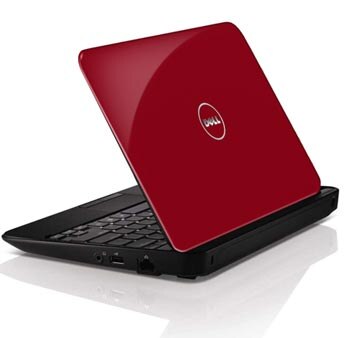
Uncompromising
The Inspiron Mini 10 is an affordable and lightweight netbook that doesn’t sacrifice any of the features you desire. In addition to long battery life, Genuine Windows® 7 and powerful Intel® processing, the new Inspiron Mini 10 boasts new options such as Wireless-N, DDR3 memory, a generous 250GB3 hard drive.
Entertainment on the Go
The Inspiron Mini 10 lets you watch movies, listen to music, edit videos and upload to the web to share your life with family and friends from almost anywhere.Powerful performer
With long-lasting battery life (up to 7 hours, 18 minutes), you’ll be able to do more of what you want and stay connected longer.
Beautiful view
The Inspiron Mini 10 boasts a seamless 25.7cm (10.1 inch) WLED display featuring a 16:9 aspect ratio that brings all your entertainment to life in stunning bright colors.

Maximum Connectivity
The Inspiron Mini 10 is built for today and tomorrow. Stay connected wherever you go with the new internal 802.11n WiFi connection, as well as Bluetooth® 3.0. Its lightweight design, including built-in webcam and microphone, will let you travel light while keeping up with your video chat, instant messenger and e-mail so you never lose touch with family and friends.
Smart Design
The Inspiron Mini 10 is the perfect travel companion that brings you sophisticated elegance in addition to processing power.Keyboard
The Inspiron Mini 10 features a keyboard 92% the size of a traditional laptop keyboard. And a touchpad design with discrete buttons means you don’t have to sacrifice comfort or productivity.
Hard drive
Store all your photos, music and videos and easily access them anytime you want with the standard 250GB hard drive.
Style
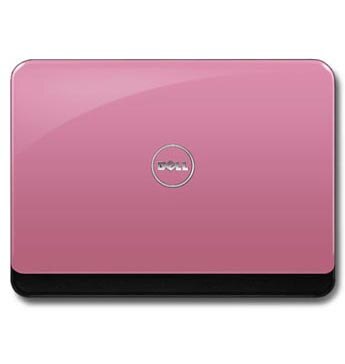
Premium design features sleek styling with soft curves, rounded edges and high-gloss black finish.
Fun Features
Take advantage of all the fun the Inspiron Mini 10 has to offer.- Support today’s bandwidth-hungry applications with Wireless-N, which lets you browse the Internet faster than Wireless-G, the networking standard most laptops are still using.
- Get the most out of your Inspiron Mini 10 with up to 7 hours, 18 minutes of battery life.
- Hold on to more of your content with the 250GB hard drive.
Selasa, 15 Maret 2011
Dell™ XPS 14 Laptop
1 Year XPS Premier service
Movies, games, music and web chat come to life with leading edge graphics, 3D capabilities, HD video chat and sound that can fill a room.
- Leading edge NVIDIA® performance graphics bring your media to life
- High-fidelity JBL speakers with Waves MaxxAudio®
- First Skype™ -certified laptop — video chat with HD webcam
- Enjoy 3D on the big screen with integrated NVIDIA 3DTV Play software

Feel the rush
Powerful graphics. Powerfully smart. The XPS™ 14 laptop has what it takes to take you to new levels of performance.Razor-sharp graphics come standard
Standard leading edge NVIDIA® performance graphics (available up to 2 GB) for powerful photo and video editing and high-resolution gaming with breathtaking detail.
Smart power management
Long media marathons are no problem with smart power management that helps extend battery life when you need it. NVIDIA Optimus™ technology automatically optimizes your battery life while maintaining the graphics performance you expect — completely seamlessly and transparently — whether you’re watching an HD movie, surfing the Web or playing a 3D game.


Mind-blowing audio
XPS laptops are designed to be the loudest, clearest and cleanest laptops on the planet with built-in high-fidelity JBL speakers and Waves MaxxAudio® technology. Together they produce rich, full sound that delivers booming bass and razor-sharp clarity to your favorite movies, music and games. Treat your ears to peak audio performance with the XPS 6W JBL speakers. Then, layer in the Waves algorithms, designed to deliver better dynamic range, frequency response and imaging, with maximum transparency, clarity and natural sound. Together, these technologies enable you to take the surround-sound experience of your home theater with you wherever you go.

Your Life in Hi-Def
XPS laptops have the tools that bring your world to you, wherever you are.Ultra-Clear. Ultra-Flexible. Connect with your loved ones across the globe in stunning high definition using the internet and XPS 14’s HD Webcam. It’s the first Webcam to offer HD video streaming for ultra-clear 720p resolution. The extreme flexibility of the new XPS also enables you to record video using different bit rates, depending on the application you use.
Connect to the World Video conferencing is now even easier with Dell and Skype™. The new XPS 14 is one of the first laptops to be certified by Skype and offers preinstalled Skype software standard on every XPS 14.

Movies, games and 3D videos come to life
XPS laptops are the first Dell laptops to offer integrated NVIDIA 3DTV Play technology. This enables you to leverage the 3D processing power of GeForce® graphics to create an immersive 3D experience in your own home, on the big screen. Simply connect your laptop to your 3D-enabled TV and effortlessly project your favorite Blu-ray 3D movies and 3D photo slideshows for a real-life theater experience. Then, bring your best games to life. Using the power of your laptop and your 3D TV, you can step into an eye-popping 3D gaming experience right in your living room. All you need to harness the 3D power of your XPS 14 is an HDMI cable, optional Blu-ray Disc™ drive, approved 3D-enabled TV and 3D media.Simple and Smart Support
Dell DataSafe Online Our online backup service offers data protection by enabling customers to back up data to a safe, remote storage site using a broadband connection. Dell DataSafe Online Backup is easy, flexible and secure. After setup, it will automatically back up data to help protect your data from software, hardware and catastrophic failure.
Dell Support Center Our centrally located, easy-to-use application provides personalized support resources. Conveniently located on your PC’s desktop with quick links to service, support and system resources. Helps keep your system up-to-date and running efficiently through automated fixes for common configuration issues.
Dell Support Center Our centrally located, easy-to-use application provides personalized support resources. Conveniently located on your PC’s desktop with quick links to service, support and system resources. Helps keep your system up-to-date and running efficiently through automated fixes for common configuration issues.

